Project detail
A high-performance eCommerce website designed for efficiency, featuring a clean layout, product showcase, and seamless purchasing experience.

About the Project
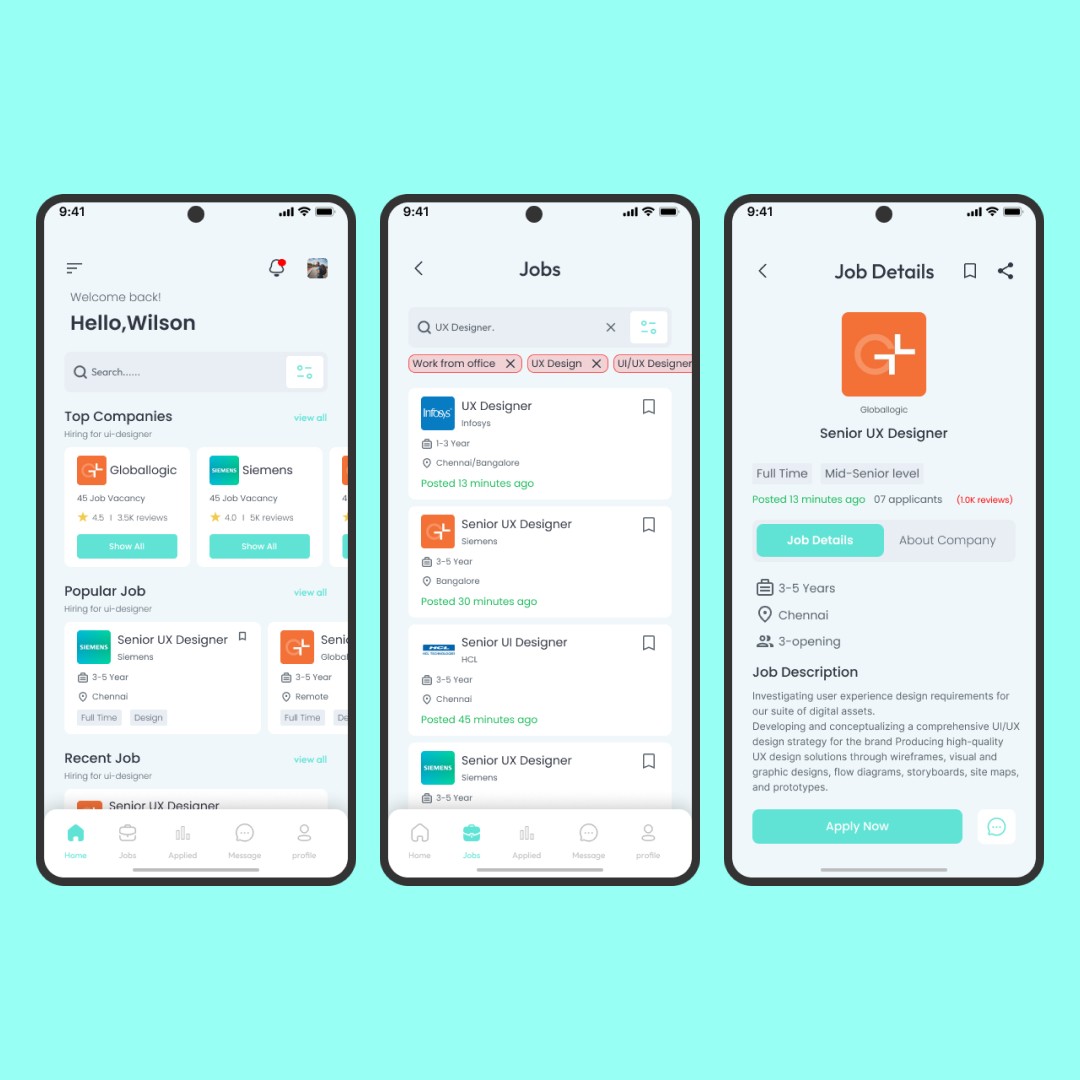
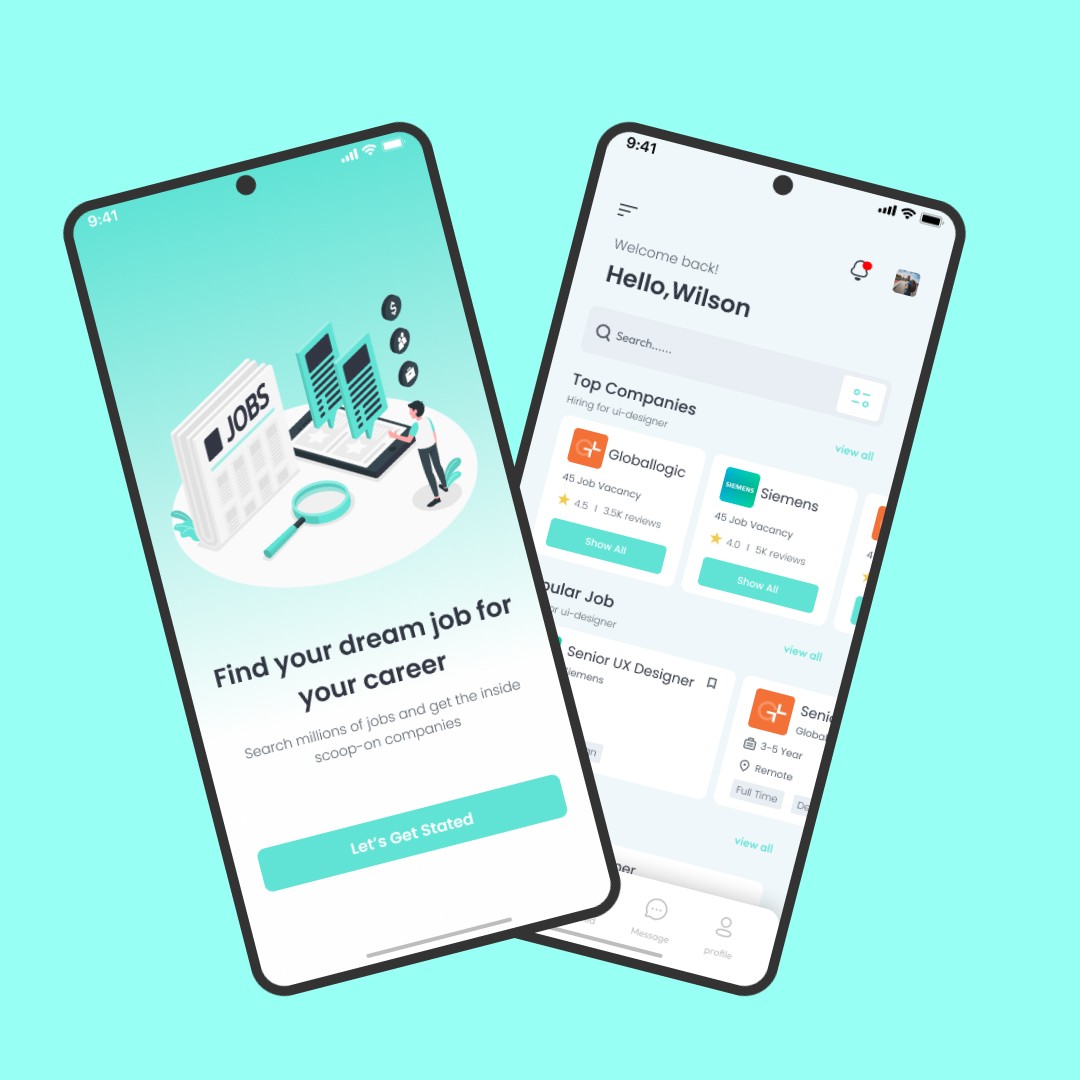
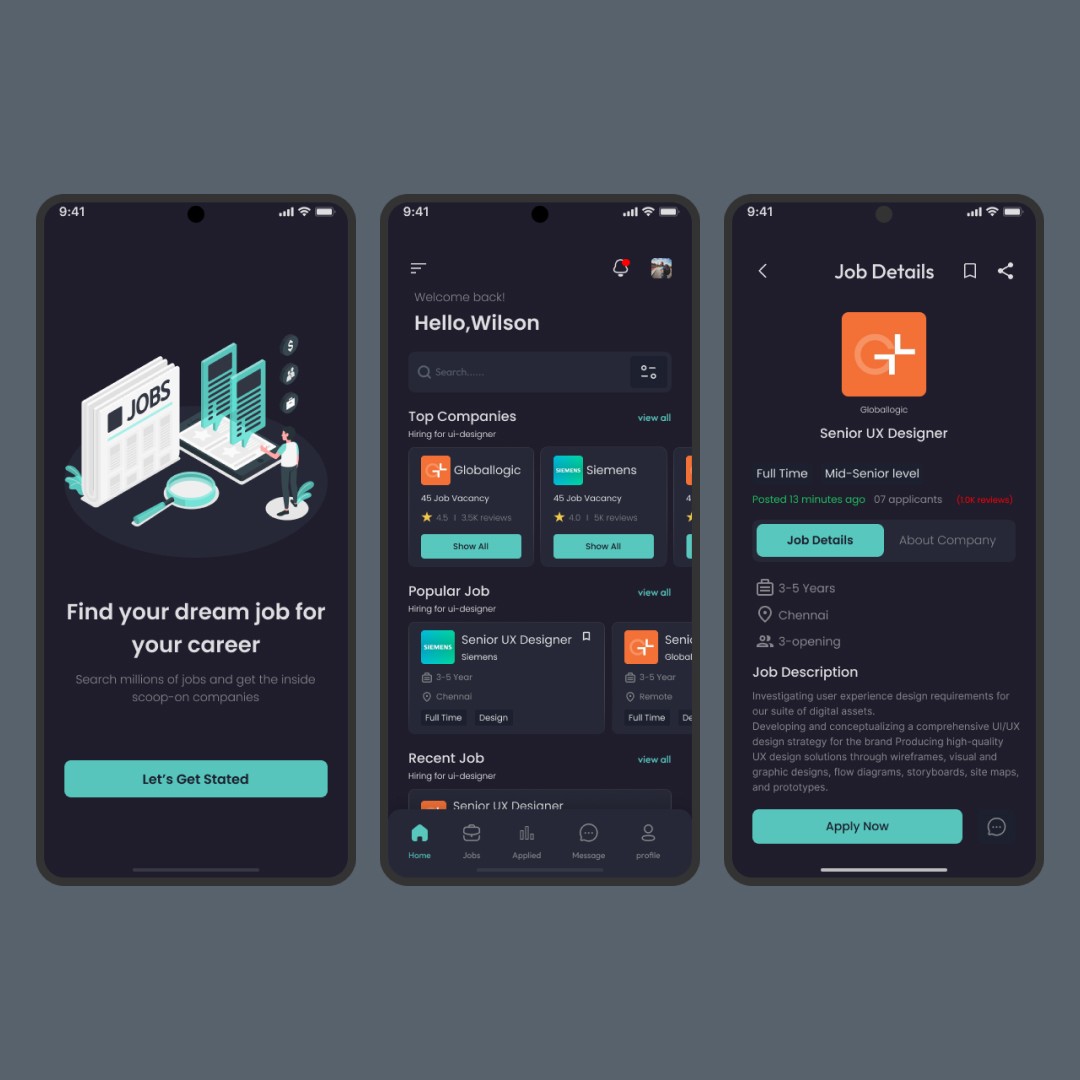
This project focuses on designing a modern Job Search Mobile Application that helps users easily discover, filter, and apply for relevant job opportunities. The app is tailored for professionals seeking UI/UX and tech-related roles, offering a clean interface, clear job listings, and a smooth application flow.
The goal was to create an intuitive experience that reduces friction in job searching by organizing opportunities by relevance, location, and experience level. Key features include job discovery, advanced filters, detailed job descriptions, company insights, and a streamlined apply process—ensuring users can move from search to application with minimal effort.
Design Process
1. Research & Understanding
The process began with understanding user pain points in existing job platforms—such as cluttered interfaces, poor filtering, and complex application flows. Competitive analysis helped identify opportunities to simplify navigation and improve clarity.
2. User Flow & Information Architecture
Clear user flows were mapped to guide users from onboarding to job discovery and application. Information architecture was structured to prioritize important details like role type, experience, location, and company credibility.
3. Wireframing
Low-fidelity wireframes were created to define layout, hierarchy, and core interactions. This step focused on ensuring easy navigation, readable job cards, and quick access to filters and job details.
4. Visual Design
A clean, modern visual style was applied with soft colors, clear typography, and consistent spacing. The UI emphasizes readability and focus, helping users scan job listings quickly while maintaining a professional look.
5. Prototyping
High-fidelity interactive prototypes were built to simulate real user interactions—browsing jobs, applying filters, viewing job details, and applying for roles. This helped validate usability and interaction clarity.
6. Refinement
Design iterations were made based on usability checks, improving spacing, contrast, and interaction feedback to ensure a smooth and intuitive user experience.