Project detail
A compact, functional Apple Watch interface, enhancing user productivity with simple gestures, quick interactions, and clear, easy-to-read design.

About the Project
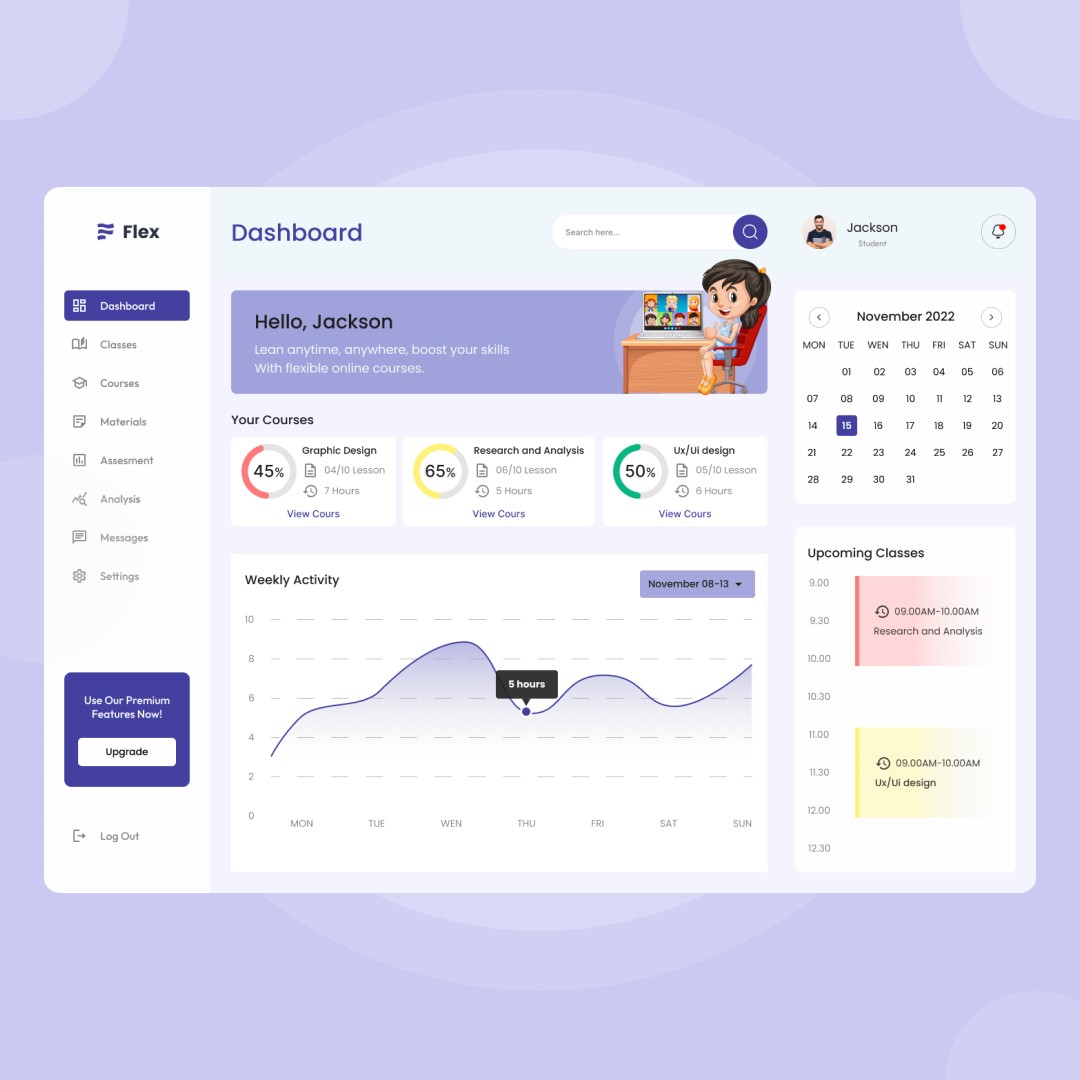
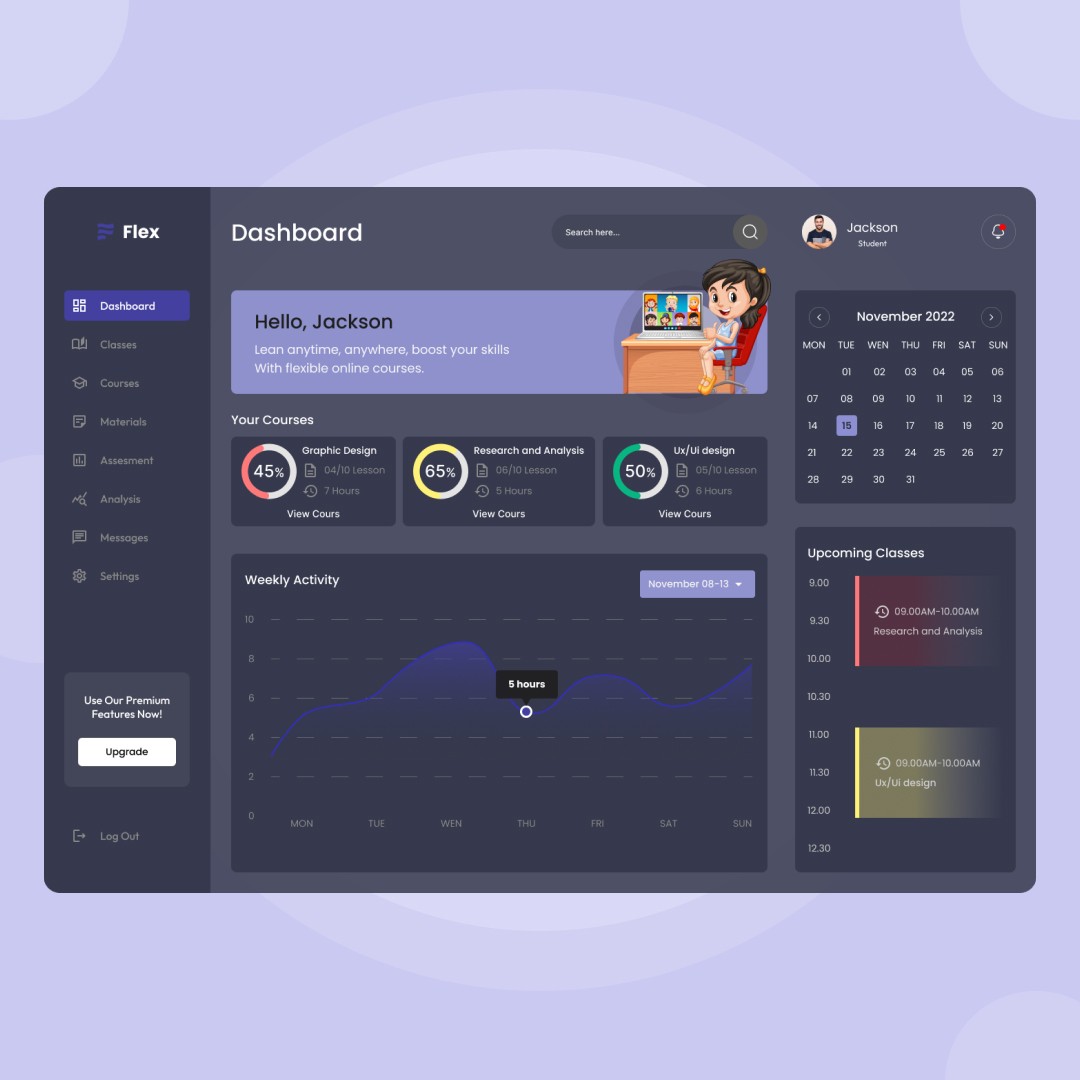
This project focuses on designing a Learning Management System (LMS) Dashboard that helps students track their learning progress, manage courses, and stay organized in one place. The dashboard is designed to provide a clear overview of enrolled courses, progress percentages, weekly activity, and upcoming classes.
The goal was to simplify the learning experience by presenting key information in a visually structured and easy-to-scan layout. By combining progress indicators, analytics, and scheduling features, the dashboard enables learners to stay motivated, monitor performance, and manage their time effectively across multiple courses.
Design Process
1. Problem Understanding
The initial phase involved identifying common challenges faced by online learners—such as difficulty tracking progress, scattered course information, and lack of motivation due to unclear learning insights. The focus was to centralize learning data into a single, intuitive dashboard.
2. User Research & Insights
Research was conducted to understand how students interact with online learning platforms. Key insights highlighted the need for:
Clear progress visualization
Easy access to enrolled courses
Simple navigation and reduced cognitive load
3. Information Architecture
The dashboard structure was planned to prioritize essential information:
Course progress at the top
Weekly activity visualization in the center
Upcoming classes and calendar on the side
This ensured users could quickly grasp their learning status at a glance.
4. Wireframing
Low-fidelity wireframes were created to define layout hierarchy, spacing, and content placement. Special attention was given to readability, dashboard balance, and minimizing visual clutter.
5. Visual Design
A soft, modern color palette and friendly illustrations were used to create an engaging learning environment. Clear typography, progress rings, and charts were introduced to make data easy to understand and visually appealing.
6. Dashboard & Data Visualization
Charts and progress indicators were designed to present weekly activity and course completion clearly. Visual feedback helps users stay informed and motivated throughout their learning journey.
7. Prototyping & Refinement
High-fidelity interactive prototypes were built to simulate real user interactions. Iterations focused on improving spacing, contrast, and accessibility to ensure a smooth and intuitive experience.